
Decide who can open it
A login gate and one of three access policies, set per app on its Access tab — people and teams, the app's tool server and its own access, and the denial page the proxy serves to everyone else.
By default your app is open: anyone with the URL can load it. That is right for a status page and wrong for almost everything else you will build internally. Fixing it takes two decisions and no code.
The two decisions
Open the app in the console and choose the Access tab (the app card’s ⋮ menu → Access leads there too).
The first decision is whether login is required at all. The second — which only appears once login is on — is the policy:
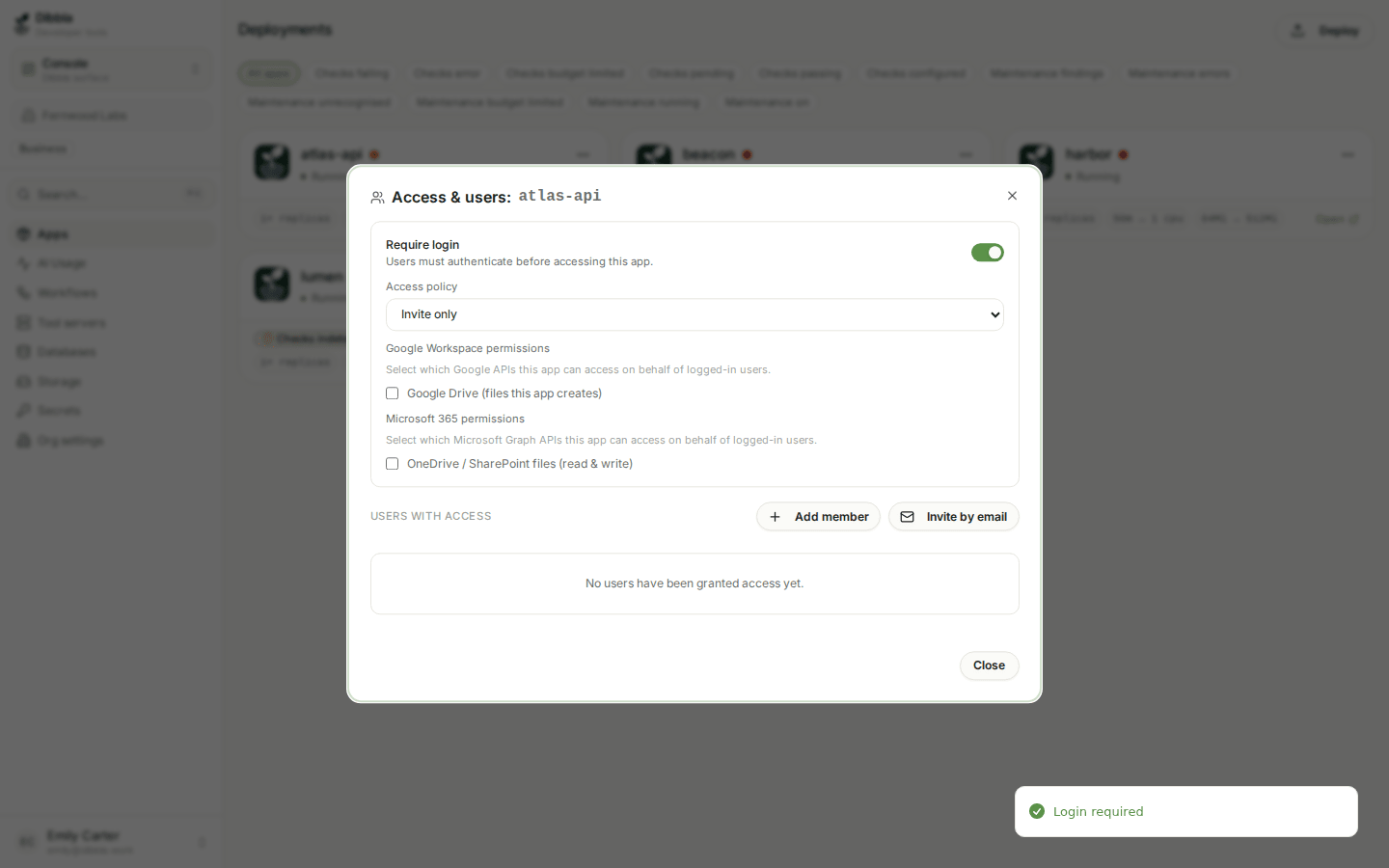
| Policy | Who gets in |
|---|---|
| All organization members | anyone in your Dibbla organisation |
| Invite only | only people you grant access to, one by one — members or not |
| Email domain | anyone whose e-mail matches a domain you list — no membership needed |
The proxy asks for a login when login is required or a policy is set, so an app is only public when both are off. Switching Require login off in the console clears the policy too, and the app opens for anyone with the URL. Switch it back on and the app gets the policy it had a moment ago, or All organization members if you reopened the tab in between. An app that has login off but still carries a policy — set from the CLI or an older console — is shown with Require login on and its policy, because that is what visitors get; switch it off once to make the app public.
Two of the three let you share an internal tool with someone outside your organisation. Email domain admits a whole company at once; Invite only admits named people.
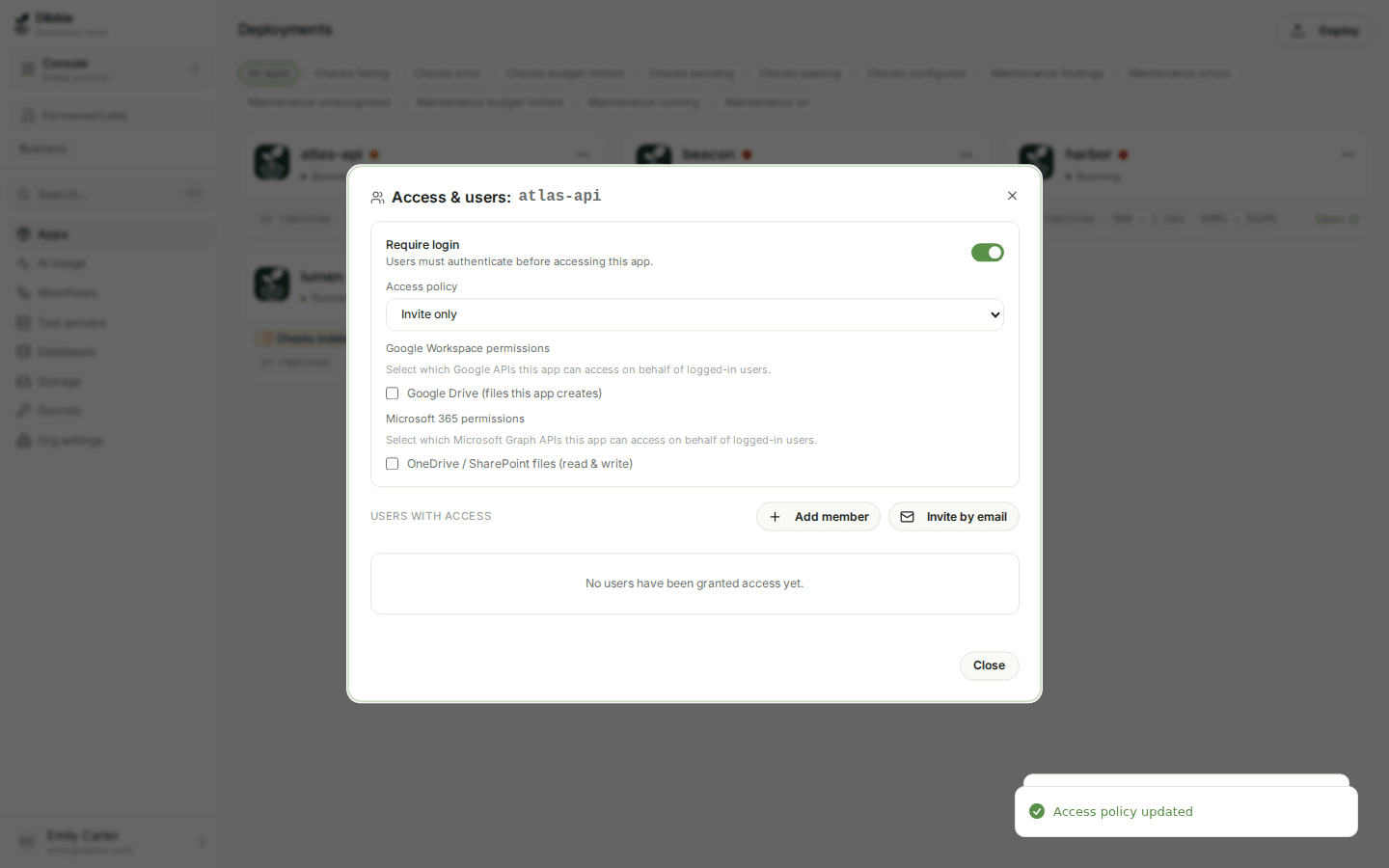
Inviting someone who is not in your organisation
With Invite only the list has three buttons. Add member picks from the people already in your organisation. Add team puts one of your organisation’s teams on the list (see below). Invite by email takes any address — a client, a contractor, a tester — and gives that person access to this app and nothing else:
- If the address already has a Dibbla account, access is live immediately.
- If it does not, the invitation is shown as Pending — access on first sign-in and turns into access the first time that person signs in. You can revoke a pending invitation from the same list.
An e-mail invite never adds the person to your organisation. They do not appear under Members, they get no role, and they cannot open the console — which is what you want for an app’s end users. Before this existed, the only way to let an outsider into an invite-only app was to invite them to the organisation as a viewer, which handed them a console they had no use for.
People who were invited to your organisation as viewers before this change keep that membership. We cannot tell a viewer who was meant to be one from a viewer who only ever needed an app, so nothing is migrated automatically. If a viewer only needs an app, invite them to the app by e-mail and remove the membership under Members.
Giving a team access
An organisation’s owners and admins create teams under Teams in the console and choose their members — say a team Finance with the three people who run the books. Put the team on an invite-only app’s list with Add team, and every member of the team gets in.
The team stays a team on the list: its row shows who is in it right now. When someone leaves the team they lose access on their very next request — there is nothing to remember to revoke on each app. Taking the team off the app, or deleting the team, does the same for all of its members. Someone who is also on the list by name keeps their access.
The app’s tool server: same as the app, or its own access
If your app runs a tool server and publishes it as an MCP (mcp: <name> on the
service in dibbla.yaml), the Access tab shows a card for it. By default it is
Same as the app: the people and teams who may open the app are also the
ones who may use the tool server from a coding agent — Claude Code, Codex,
Cursor, Antigravity, opencode.
Choose Own access to decide who may use the tool server separately from who may sign in to the web app. For example, everyone in the organisation can use the web app, while only the developers or one team can use the tool server. With own access, the tool server admits:
- the organisation’s owners and admins, always;
- the people and teams you add to the tool server’s list, picked the same way as for the app;
- optionally, everyone at or above a role: Developers and above, Admins and owners, or Every member of the organisation.
The app’s own policy and list no longer apply to the tool server, and the tool server’s list does not change who may open the web app. A change applies to the next call from a coding agent. Switch back to Same as the app at any time; the tool server’s list is kept for the next time you switch to own access.
The tool server’s own page under Tool servers shows whoever has access — the app’s list, or the tool server’s own when it has one — with a link back to the app’s Access tab, and shows how to connect.
A tool server always takes a Dibbla login by a member of your organisation: Email domain and a public app open the app’s web pages to people outside it, but not its tool server. Someone without access who connects anyway sees no tools.
How the pieces fit together
Three things decide what someone can do, and each answers one question:
| Answers | Set by | |
|---|---|---|
| Organisation role — viewer, developer, admin, owner | What may they do on the platform: open the console, deploy, change settings? | The organisation’s owners and admins, under Members |
| App access — the app’s policy and its list, and a tool server’s own list when it has one | Which apps may they open, and which tool servers may they use? | The app’s owner and app admins, the organisation’s owners and admins |
| Team — a named group of members | A shorthand on an app’s list for “everyone in this group” | The organisation’s owners and admins, under Teams |
They do not stand in for each other. Being on an app’s list never gives anyone a console or a role, and a developer still needs to be let into an invite-only app to see it. The organisation’s owners and admins can always open every app.
Every change on this tab is saved as you make it. The one exception is choosing Email domain with no domains listed — that refuses, and tells you why, rather than silently locking everyone out.
What everyone else sees
Someone who fails the policy does not get a broken page or a raw 403. The proxy serves them a branded refusal on the app’s own host:
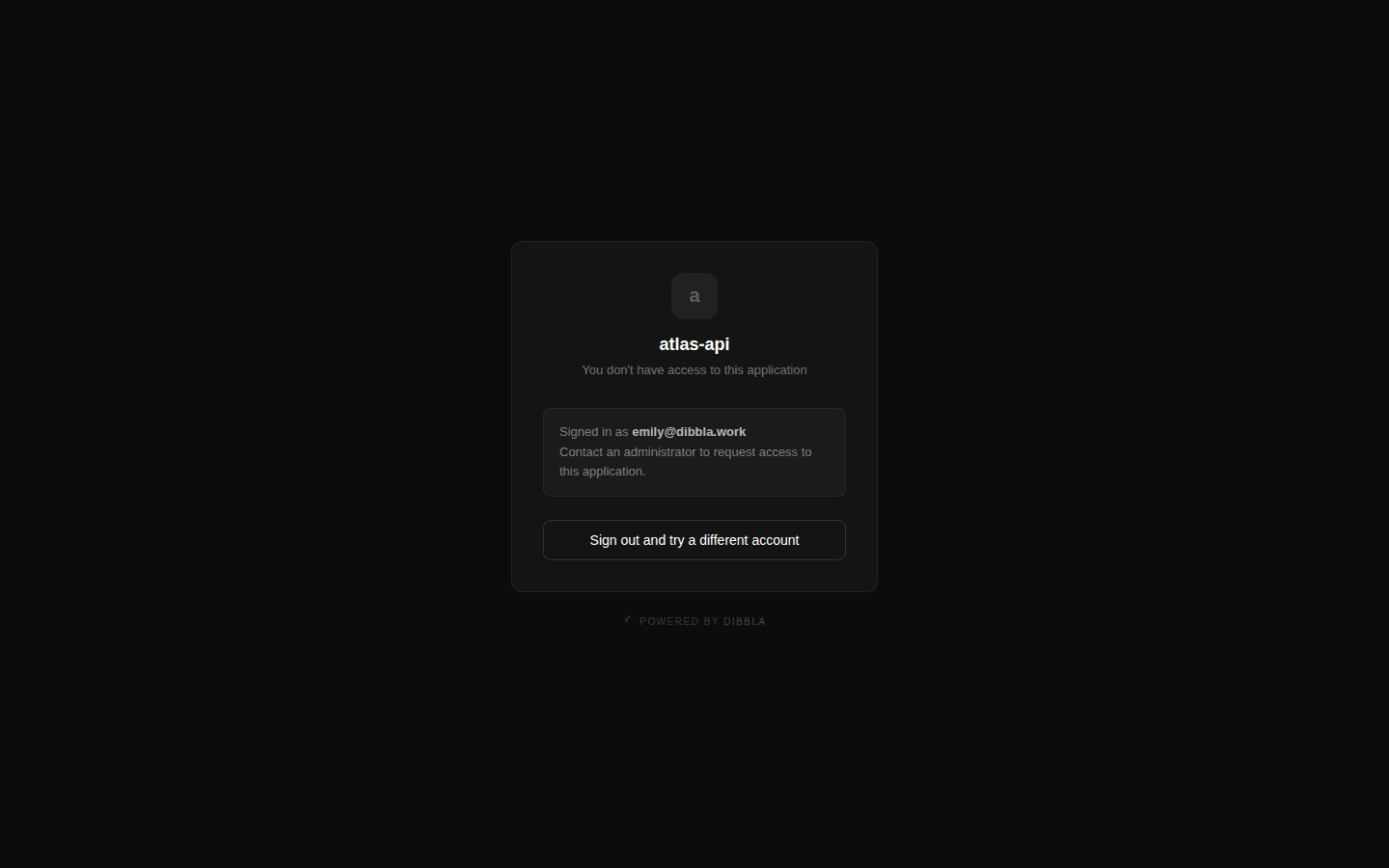
It names the app, shows who they are currently signed in as, and offers Sign out and try a different account — which is the actual fix most of the time, since the usual cause is being signed into the wrong account.
Setting it at deploy time
The same two fields are flags, so an app can ship locked from its very first deploy rather than being public for the minutes it takes you to click:
$dibbla deploy . --alias my-first-app -m "feat: initial deploy" --require-login --access-policy invite_only --access-policy accepts all_members and invite_only. Email domain is
set in the console, because it needs the domain list alongside it. Note also
that the flag is a bare boolean on dibbla deploy but takes a value on
dibbla apps update (--require-login true).
Have a code agent lock down an app you already deployed.
The Dibbla app "my-first-app" is currently public. Make it require login and
restrict it to members of my organisation, using the dibbla CLI. Tell me what
the app's access policy was before you changed it.
A note on what this is not
This gate controls who can open the app. It is not authorization inside your
app: once someone is through, your code decides what they may do. What your app
receives is a set of X-User-* headers describing the authenticated person —
enough to build roles on, without implementing login yourself.