
Share it with your team
The portal is the catalogue your colleagues actually use — your app's name, its subtitle, its handbook, and a button that opens it.
You have built the thing, reviewed it, gated it, and given it data. The last step is the one internal tools usually fail: being found.
What your colleagues see
Your colleagues do not use the console. They use the portal, and it is deliberately boring — a catalogue of what they are allowed to open:
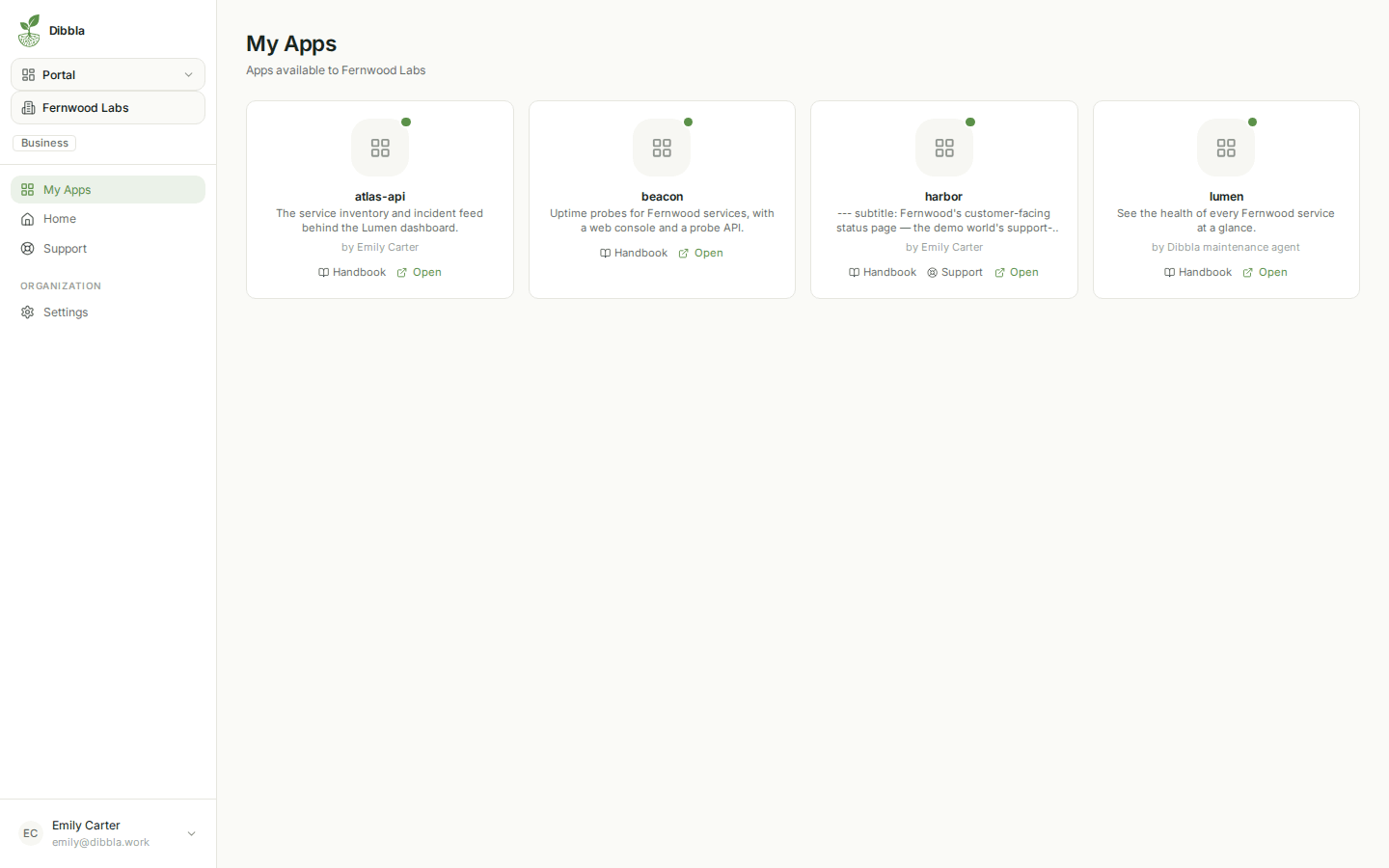
Each card carries the app’s name, the subtitle from its handbook, who deployed it, and two links: Handbook and Open — plus Support on apps that have support tickets switched on. That is the whole interface, and it is why the handbook page insisted you write a subtitle — this grid is where it earns its keep.
The catalogue lists every app in your organisation, and the access policy governs what happens when someone clicks Open — not whether they see the card.
Its name, subtitle, author and handbook are readable by any member; only opening the app itself is refused, and that refusal happens at the edge when they click. So treat the subtitle and the handbook as organisation-wide reading, whatever the access policy says. If a project’s existence is itself sensitive, the portal is not the place to hide it.
The console is where you operate: deploys, logs, secrets, databases, version history. The portal is where your organisation consumes: find an app, read what it does, open it. Sending a colleague a console link is the most common way to confuse them.
The end of the tour
Everything on this tour arrived with a single dibbla deploy:
- a code review that travels with the deploy,
- a handbook rendered for your users,
- an access policy enforced at the edge,
- logs without cluster access,
- secrets you can rotate from the console or the CLI,
- an LLM gateway with no provider keys to hand out,
- managed Postgres with three ways to query it,
- a catalogue that makes the app findable,
- and, when you switch it on, a support flow your users can reach from the app itself.
That is what “your app is live” actually means here.
Want your app to do things on its own?
Everything so far happens when somebody opens your app. The next chapter is about what happens when nobody does — scheduled work, agents, and pipelines that run on their own.