
Stage 5 — Give it a schedule
Register a pipeline job on your worker, bind it to a nightly cron, and roll last night's incidents up by region into a table the app reads back — closing the loop on the app you started with.
This stage turns a one-off into standing behaviour. A pipeline job runs every night, rolls the day’s incidents up by region, and writes one row per region into a table Lumen reads back — so the loop closes on the app you started with in Stage 1.
Register the incident_report job and schedule the nightly pipeline.
On the Lumen tool server, register a pipeline job "incident_report" with
server.RegisterJob — a Go JobHandler that takes a "region" parameter, reports its
work with ctx.Logger.TaskStarted/TaskCompleted, and upserts one row per region
into an incident_rollups table (UNIQUE on the rollup key so re-runs are
idempotent). Deploy the worker as a long-running service so it gets
DATABASE_URL_LUMEN_INCIDENTS — do NOT use a dibbla.yaml jobs: cron, which cannot
see the database. Then create a pipeline that binds the job to a region and a
5-field nightly cron (server-local time), trigger it manually once so it runs in
the same minute, and show me the newest row in incident_rollups.
What happens next
A schedule is just a promise the platform keeps for you: “run this on its own, every night, without anyone starting it.” You are handing your assistant one piece of work — roll up last night’s incidents by region — and asking it to make that work happen unattended, forever, at 3 a.m. Nothing about the loop below requires you to be awake, or even logged in.
To get there, the assistant will teach the platform two things. First it registers the rollup as a pipeline job on the same tool server you built in Stage 4 — a small piece of Go that reads a region’s incidents and writes one summary row. Then it wraps that job in a pipeline and hands the pipeline a cron schedule: a five-field time expression that means, here, “nightly at 03:00.” The job is the work; the pipeline is the alarm clock that fires it.
Once that is wired, open Pipelines and you will see the job, daily schedule and enabled state — proof the promise is in place before a single night has passed.
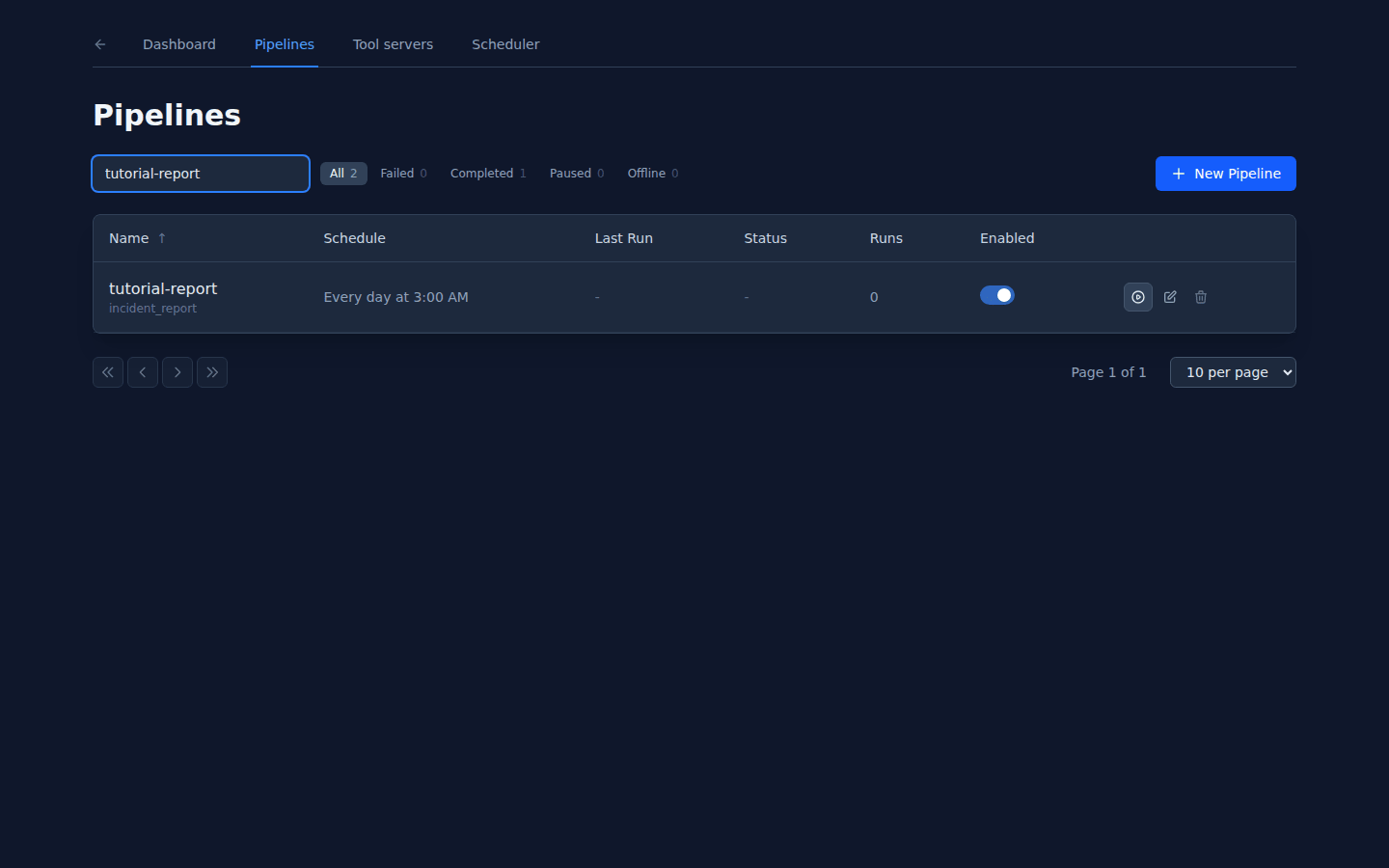
The capture fixture, armed: incident_report bound to a daily schedule and ready for its first manual check.
Waiting until 3 a.m. is no way to check your work, so the assistant triggers the
pipeline once by hand. The capture fixture completes Collect, Process and Publish
with dry_run=false, which makes the worker’s task and log reporting visible. It
is deliberately a UI fixture: unlike the handler you build below, it does not
connect to Lumen’s database.
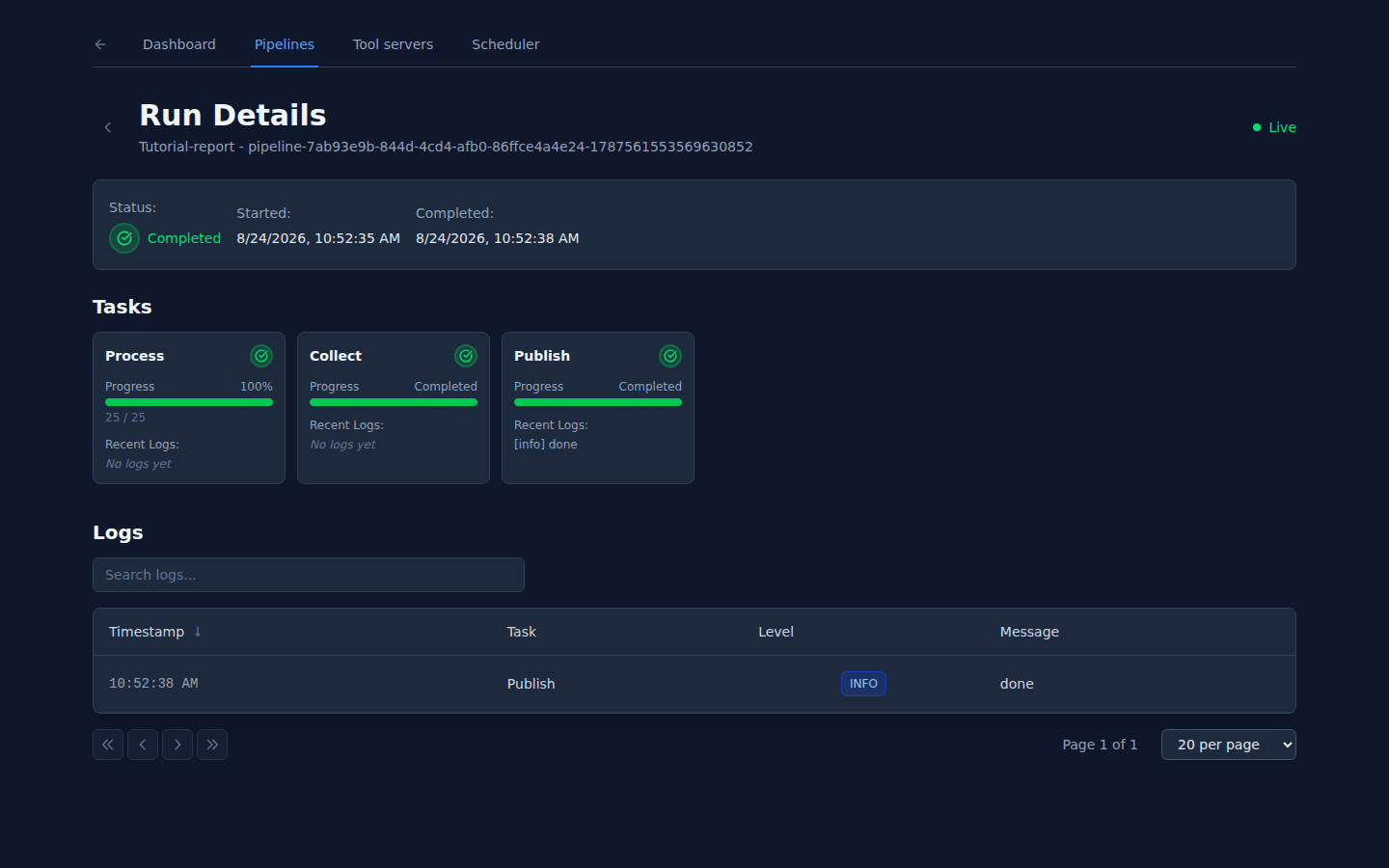
The run surface: worker-reported tasks, progress and logs. The database query below — not this fixture — proves that your own rollup handler wrote its row.
Finally the loop closes. The row your handler upserts is the row Lumen reads back, so the rolled-up number appears in the app you started with in Stage 1 — no longer a one-off you kicked off, but a figure that refreshes itself every night. Trigger it twice for the same night and the number updates instead of doubling, which is exactly what makes an unattended nightly job safe to leave running. Because a coding assistant makes its own choices, your table and column names, and the exact shape of the pipeline, may differ from the walkthrough below — the three moving parts (a registered job, a cron that fires it, a row the app reads back) are what to look for.
Under the hood the CLI & code behind this step — optional
Three different things called a “job”
Before anything runs, untangle the word — the platform uses “job” for three unrelated mechanisms, and reaching for the wrong one is the whole difficulty of this stage:
| Mechanism | What it is | Where the schedule lives |
|---|---|---|
dibbla-task.yaml + dibbla run | a local task runner — nothing is submitted anywhere; it runs on your machine | nowhere — you run it |
jobs: in dibbla.yaml | a Kubernetes CronJob built from your app image | the schedule: key in the manifest |
| a pipeline job | a Go handler your worker registers, dispatched over gRPC | a cron on a pipeline, in the platform scheduler |
Stage 5 uses the third — the pipeline job — and deliberately not the second.
It is tempting to reach for the obvious-looking jobs: key. Don’t: a
dibbla.yaml CronJob container gets no envFrom secret layer, so the
injected DATABASE_URL_<NAME> never arrives inside it. The job runs and cannot
see its data. A tool server built with the Go SDK deploys as an ordinary
long-running service, gets the secret layer like any service, and reads
DATABASE_URL_LUMEN_INCIDENTS normally — which is why the rollup lives here and
not in jobs:.
Register the job on your worker
The same kind of worker you ran in Stage 4 also hosts jobs. A job is a Go
handler you register with server.RegisterJob; the platform dispatches it on a
schedule. Here incident_report reads the incidents for a region and upserts a
single rollup row:
type IncidentReportJob struct{}

func (j *IncidentReportJob) GetJobID() string   { return "incident_report" }
func (j *IncidentReportJob) GetJobName() string { return "Incident Report" }

func (j *IncidentReportJob) GetParameters() []jobs.JobParameter {
    return []jobs.JobParameter{
        {Name: "region", Type: "string", Required: true},
    }
}

func (j *IncidentReportJob) Execute(ctx *jobs.JobContext) error {
    region := ctx.GetStringArg("region", "")

    // TaskStarted / Progress / TaskCompleted ARE the run UI — see the callout.
    ctx.Logger.TaskStarted("rollup")
    ctx.Logger.Info("rolling up incidents for region " + region)

    // Reads DATABASE_URL_LUMEN_INCIDENTS from the environment, like any service.
    // The UNIQUE constraint on (region, day) makes this upsert idempotent:
    //   INSERT INTO incident_rollups (region, day, open_count, ...)
    //   VALUES (...)
    //   ON CONFLICT (region, day) DO UPDATE SET open_count = EXCLUDED.open_count
    ctx.Logger.TaskCompleted()
    return nil
}
Register it before Start(), exactly as with a function, and run the worker as
a deployed service so it has the database secret:
# in main(), before Start():
$server.RegisterJob(&IncidentReportJob{})
# the worker deploys as a long-running service, so DATABASE_URL_LUMEN_INCIDENTS is injected like any service secret
The run-detail UI is built entirely from what the job reports:
ctx.Logger.TaskStarted, ctx.Logger.Progress, and
ctx.Logger.TaskCompleted are the run screen. A handler that does its
work silently produces a run with nothing to show — not a broken UI. Mark your
tasks and report progress so the run is legible.
Bind it to a schedule
A registered job does not run until a pipeline binds it to concrete
parameters and a cron. Create the pipeline (in the Pipelines UI or over the API),
choose incident_report, set region, and give it a schedule.
Two of its fields are parsed more strictly than they look:
- The cron is 5-field. No seconds field, no
@every, and it runs in server-local time.0 3 * * *is nightly at 03:00 server time. This is a different parser from the onedibbla.yamluses — do not carry a 6-field expression over from there. - The Scheduler’s “API Node ID” field wants the entry node’s id with its
hyphen stripped — the same
biih-d39h→biihd39hform Stage 4 used for the execute URL. A dash left in is the most common reason a schedule never fires.
Check it
Waiting for 03:00 is no way to test. Trigger the pipeline manually so it runs in the same minute, watch the run screen show its declared tasks complete, then leave the cron to fire overnight on its own:
# POST /api/pipelines/:id/trigger runs it immediately, without waiting for the cron
# the run screen shows the 'rollup' task starting and completing
Then confirm the row it wrote, straight from the database:
SELECT * FROM incident_rollups
ORDER BY created_at DESC
LIMIT 1;

-- returns the rollup row the run just upserted for its region
Trigger it a second time for the same period and the row updates rather than
duplicates — the UNIQUE constraint on the rollup key makes re-runs
idempotent, which is what lets a nightly job re-fire safely. Lumen reads these
rows back at /api/rollups, so the number you just wrote is the number the app
displays. The loop is closed.
Next: someone else uses it
Every stage so far has been about building Lumen. Stage 6 is about the first person who isn’t you — a user who opens the app, hits something they don’t understand, and needs a way to tell you.
Also at this point
- Maintenance agent — the app now works unattended, so “who watches it overnight?” is a concrete question. The agent reads logs, source and check history and either reports nothing, records a finding, or opens a change a different person approves. Lumen does not need it to close the rollup loop, which is why this is not a stage — but the moment you care who looks while you sleep, this is where that lives.