
Rotate secrets and env vars
Where configuration lives, how the console hides values it will not show you again, and what actually happens when you rotate a credential.
Every app needs configuration, and some of it is sensitive. Dibbla keeps both in the same place and treats the sensitive kind as write-only.
Have a code agent rotate a secret without ever seeing it.
Rotate the STRIPE_KEY secret of my Dibbla app "my-first-app". I have a new key
from Stripe. Do not ask me to paste it to you: ask Dibbla for a link where I
enter it myself, wait until I have saved it, then restart the app so it uses
the new key, and confirm the secret is listed.
What happens next
Your assistant never sees the key. It asks Dibbla for a link to a page where the value is entered, gives you the link, and waits. You open it — signed in to Dibbla as yourself — paste the new key and save. The value goes straight from your browser into Dibbla, and the assistant learns only that you are done.
It is stored write-only: once saved, no Dibbla API, CLI command or MCP tool returns it, to you or to the assistant — the platform will only ever show a mask in its place. That is deliberate, and it is why the assistant confirms the secret exists rather than echoing what it is.
A saved secret does not reach your running app on its own. Environment variables are fixed when a container starts, so the assistant restarts the app afterwards — that is the step that actually puts the new value into a fresh set of pods. Until it does, the old value keeps serving.
The exact commands can vary run to run. What stays constant is the outcome: the value goes from your hands into Dibbla without passing through the chat, and it takes effect on the restart.
Two scopes
Secrets are either global to your organisation — every app gets them — or scoped to a single deployment. The console’s Secrets view lists both, with the scope in its own column.
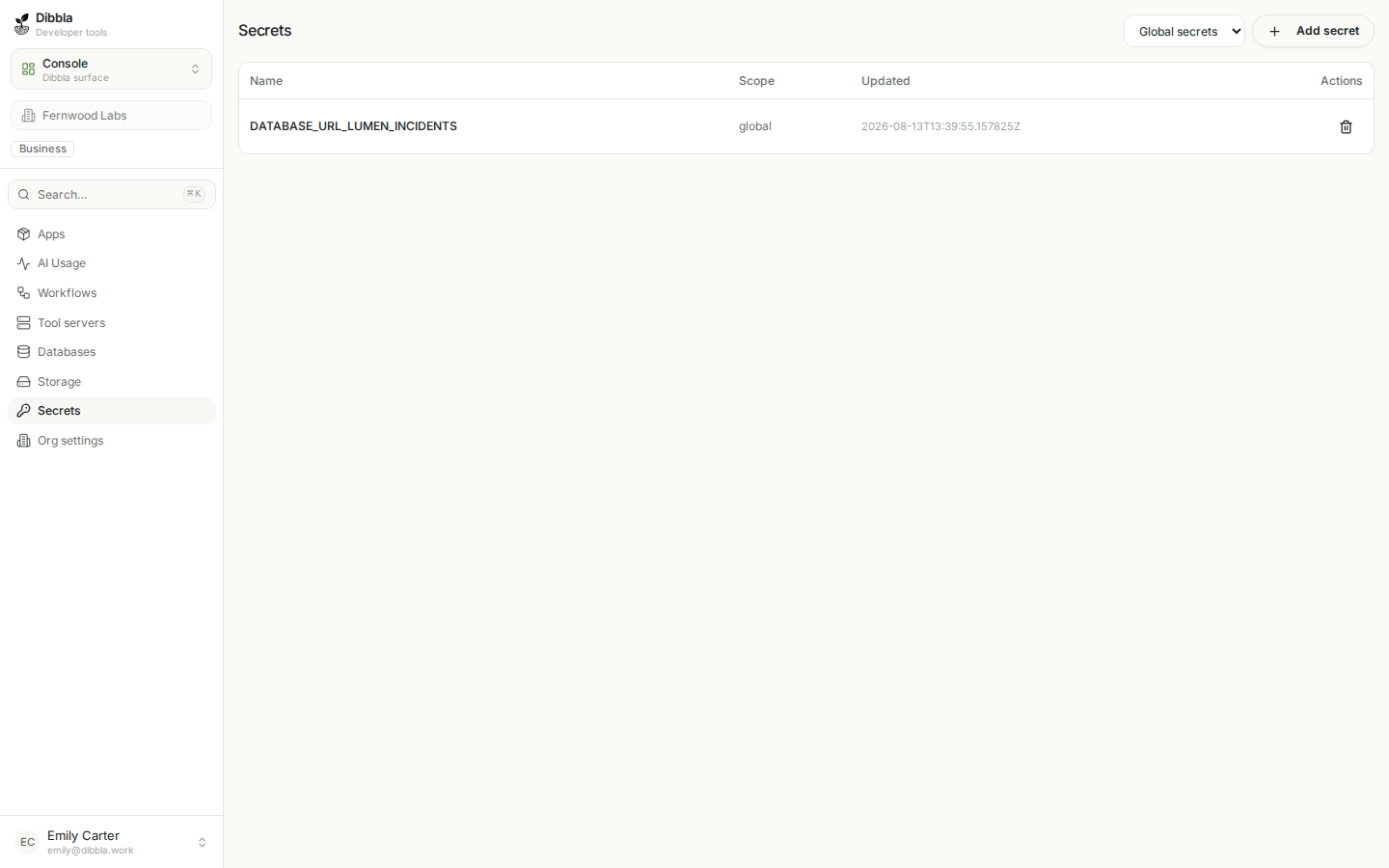
Creating a managed database, for instance, adds a global secret holding its connection string, so any app in the org can reach it without you copying a DSN around.
The per-app editor, and the four asterisks
The app card’s ⋮ → Edit deployment opens the environment editor. Reopen it after saving and you will see this:
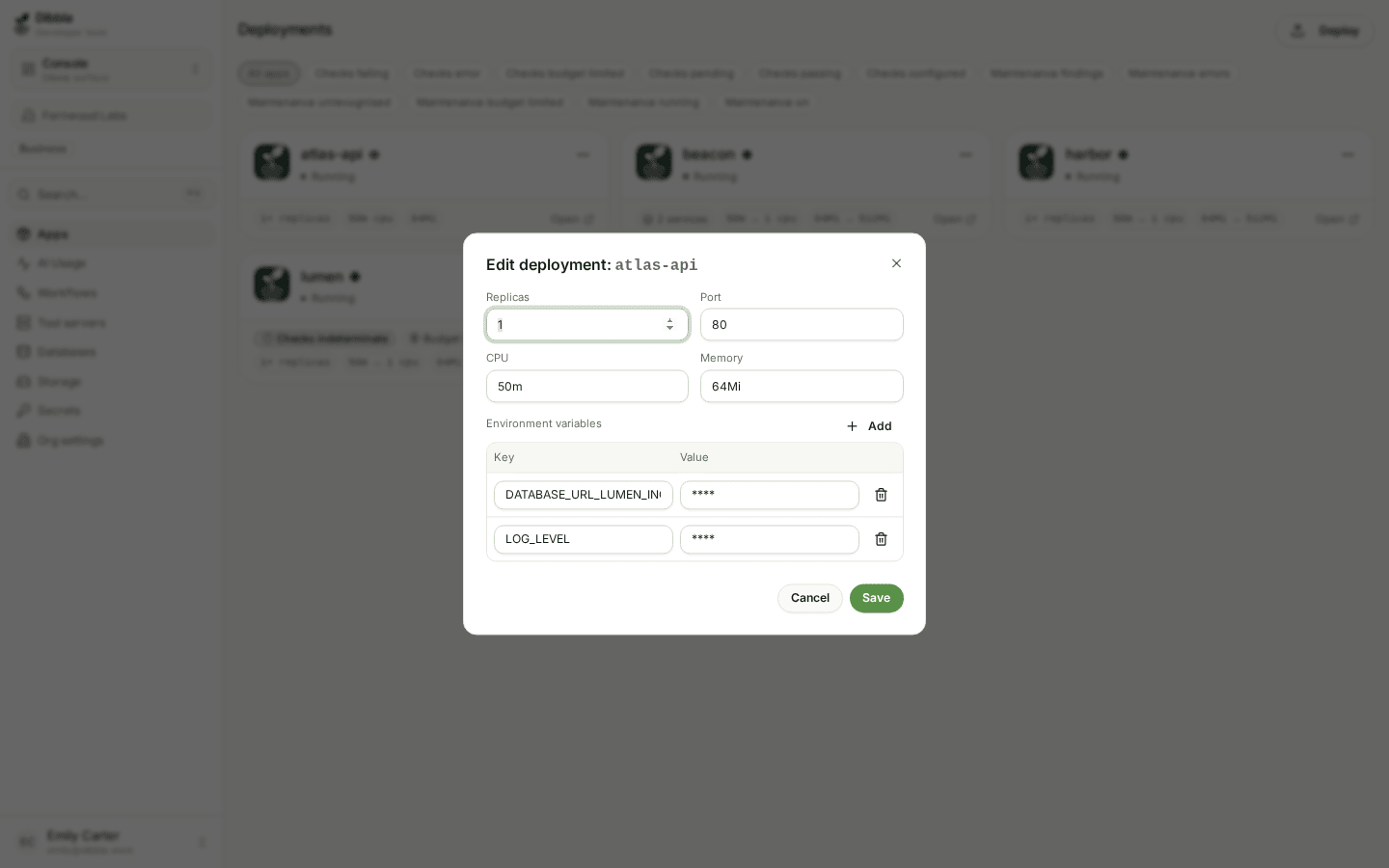
**** is not a placeholder for a short value — it is the platform declining to
send the secret back to your browser. Three consequences worth knowing before
you edit anything:
- Saving
****keeps the stored value. You can change one variable without knowing, or disturbing, the others. - The set you submit replaces the stored set. Remove a row and that variable is deleted on save. This is why deleting a masked row asks you to confirm: the platform cannot show you what you are about to throw away.
DIBBLA_*variables never appear. The platform injects its own — the gateway URL, your app’s alias, service discovery — and filters them from the editor in both directions, so you cannot accidentally clobber them.
Rotating a credential
A secret’s row in this editor has a key icon where the delete button would
be: a secret is changed or deleted on the Secrets page, or with
dibbla secrets set, not here. Typing a new value over its mask is refused,
because an env var of that name would replace the secret. A credential that
sits in a plain variable gets a Make secret button instead: you rotate it
where it was issued, enter the new value on a Dibbla page, and the variable is
removed and the app restarted.
However the new value goes in, a leaked credential stays live until it is revoked where it was issued, and a changed secret reaches the running app only when the app restarts — saving alone is not the end of the rotation.
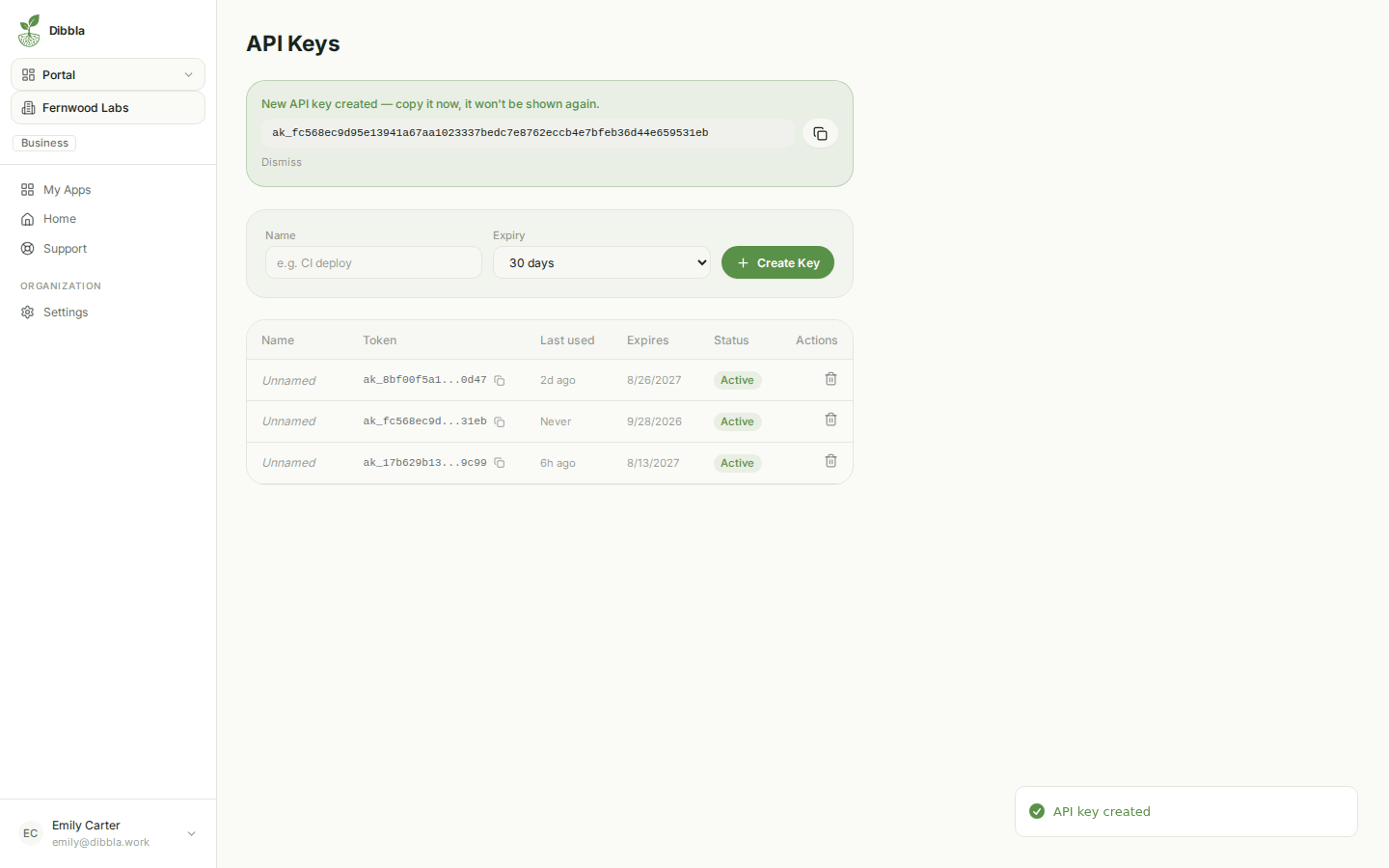
The same write-only principle governs API tokens in the portal: the full value exists on screen exactly once, at creation. After that the list shows a truncated form forever. Copy it into your secret store at that moment or create another one — there is no way to recover it, deliberately.
It is genuinely useful for a long-lived CI runner and genuinely dangerous everywhere else. Prefer a bounded lifetime and a calendar reminder over a token that outlives the person who made it.
Where secrets should not go
Not in the image, not in the repository, and not in a plain env var — not in
-e flags, not in --env-file, not in dibbla.yaml. An env var is readable by
anyone who can read the app’s configuration, AI assistants included, and Dibbla
refuses one that looks like a secret (in dibbla.yaml it warns you, and refuses
an assistant’s deploy). An env var that should have been a secret is promoted —
dibbla env promote, or Make secret in the editor above — with a new value
(env vars and secrets). Not in a chat with
an AI assistant either. And not in a docs/ page — that directory is published
to your users as the app handbook.
Under the hood the CLI & code behind this step — optional
From the CLI
Secrets are set and listed the same way from the terminal — global by default,
or scoped to a single deployment with -d. secrets set asks for the value at
a hidden prompt; secrets request prints the link to the entry page instead,
which is what an assistant runs:
# global: every app in the org
$dibbla secrets set STRIPE_KEY

# one deployment only
$dibbla secrets set STRIPE_KEY -d my-first-app

# a link where the value is typed on a Dibbla page
$dibbla secrets request STRIPE_KEY -d my-first-app --title "Stripe secret key"

$dibbla secrets list
Secrets reach a container as environment variables, and environment variables are fixed when the container starts. Saving updates the stored value and every pod that starts from now on; the pods already running keep serving with the old one. If you are rotating because a credential leaked, the leaked credential is still live in production until you restart:
dibbla apps restart my-app --service app--service is required. For a single-service app it is app; for a
manifest deploy, use the name as it appears in dibbla.yaml, and restart
each service that reads the secret.
A rotation you believe finished but did not is worse than one you know is pending.