
Your app has a handbook
Every deploy bundles the markdown under docs/ and renders it as an end-user handbook in the portal — which is why the deploy insists you write one.
Internal tools die of the same thing: nobody except the author knows what they are for. So Dibbla makes the answer part of the deploy rather than a wiki page somebody means to write.
What you write
Markdown under docs/, with a subtitle: on the landing page:
---
subtitle: See the health of every Fernwood service at a glance.
---

# Lumen handbook

Lumen is the service-status dashboard: one page that answers
"is anything on fire?" for the whole fleet.

- [Getting started](getting-started.md) — open the dashboard, read the tiles
- [Operations](operations.md) — what to do when a tile goes amber
Every .md file under docs/ is bundled — so the handbook can be several
pages, and the landing page can link to them. Files whose name starts with .
or _ are skipped, which is how _nav.yaml and friends stay out of the
rendered handbook. The subtitle: is read from index only; put one on
another page and it is ignored.
Because the platform renders everything under docs/, that directory is
the wrong home for architecture notes, contribution guides or agent
instructions. Those belong somewhere your users will never be shown them.
What your colleagues see
The subtitle is the line under your app’s name in the portal catalogue — for most people it is the only description they will ever read. The rest is behind the Handbook link next to Open.
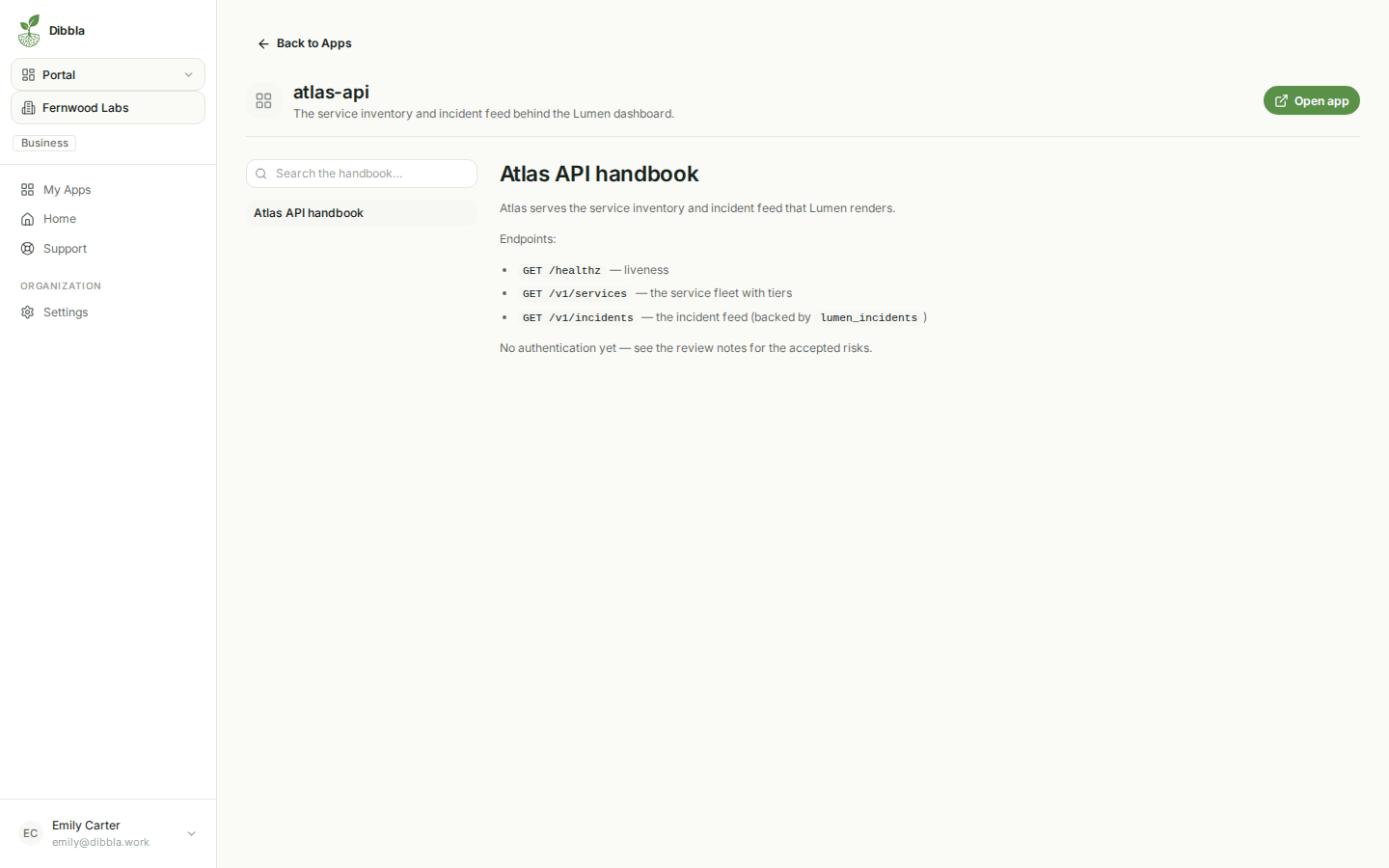
Rendered from the same markdown you committed, at the deploy that shipped it. There is no separate publish step and no second copy to keep in sync — if the handbook is wrong, you fix it in the repository and redeploy, exactly like code.
Why the deploy refuses without one
A deploy stops with missing subtitle if the landing page has no frontmatter
subtitle. It reads as friction the first time and as a favour the tenth: it is
the difference between a catalogue of named apps and a catalogue of apps whose
purpose you can read at a glance.
Write it for the person who has never seen the app: what it does, who it is for, what to do when it misbehaves.