
Stage 6 — Get help
Turn on support for Lumen from the console — no YAML, no redeploy — then watch a user write in and answer them from the triage queue. The first stage about someone other than you.
Every stage so far has been about building Lumen: you or your code assistant, alone with a terminal. This one is different on purpose. Lumen has real users now — Stage 5’s nightly rollup has been running against real incidents — and this stage is about the first one who runs into something they don’t understand and needs a way to tell you.
There is no <AgentPrompt> here. Turning on support is one click in the
console, not a file to write, so this stage walks it directly.
Turn on support
Open Lumen in the console and go to its Tickets tab. With support off, the tab isn’t a dead end — it explains what turns on and lets you choose who may read a ticket.
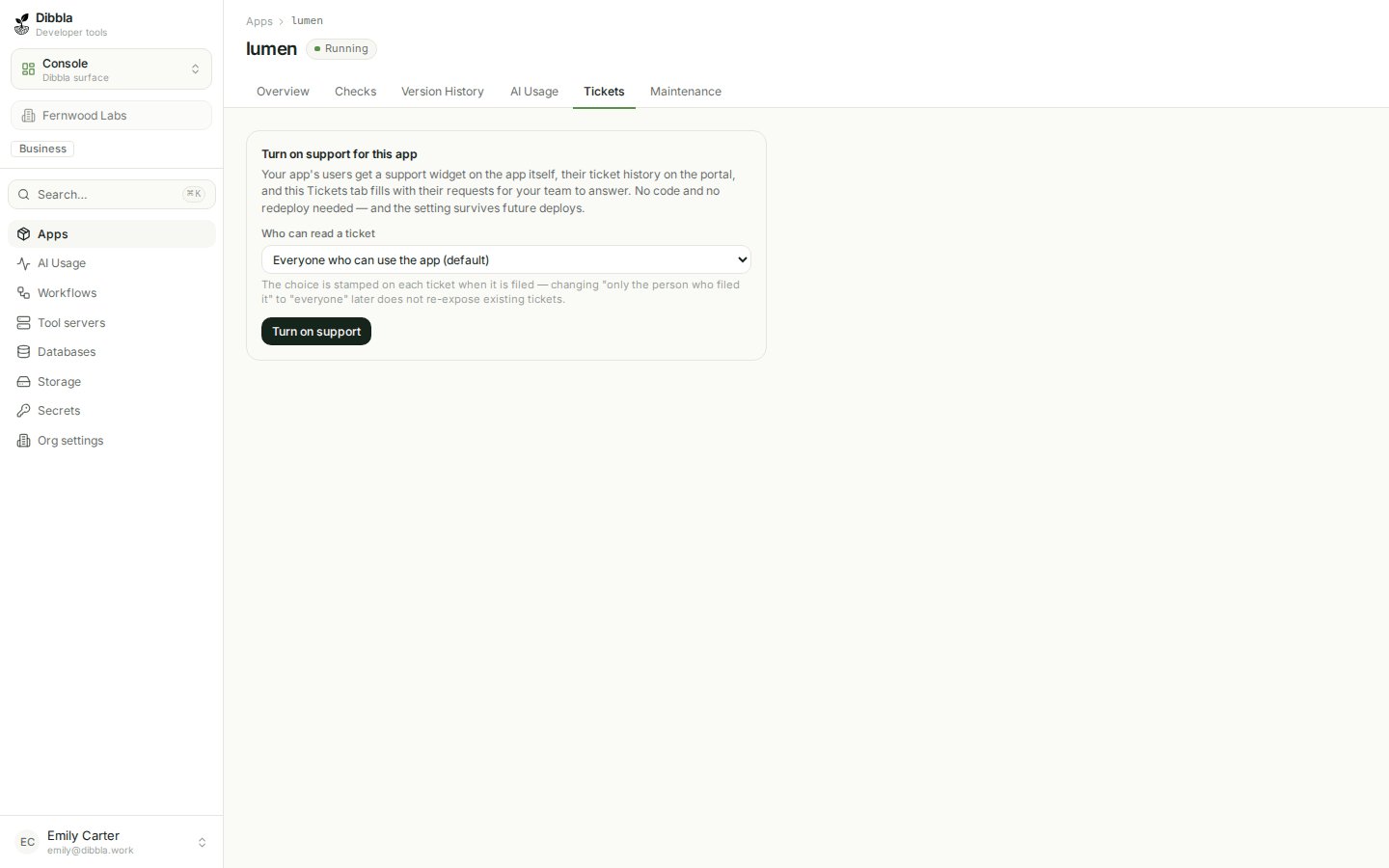
Click Turn on support. That’s it — no dibbla.yaml edit, no redeploy. The
switch writes a durable setting against the deployment and patches the live
app immediately, and the setting survives every future deploy whose manifest
never mentions support:. An explicit support: block in dibbla.yaml would
still win over this if Lumen’s ever gets one — the settings strip on this same
tab always says which side is in force.
A user writes in
With support on, Lumen serves /_platform/support.js — one script tag,
already in the incident-desk template, that was a silent 404 until now. A
signed-in user gets a compose form right there in the app; the same request is
also reachable at /support in the portal, one place for a user’s tickets
across every app they use.
Filing a request lands on its own address, /support/<ticket-id> — bookmarkable,
linkable, and exactly the same thread whichever door it was opened from.
Triage it as the builder
Back in the console’s Tickets tab, the queue is live — no redeploy needed to see it either:
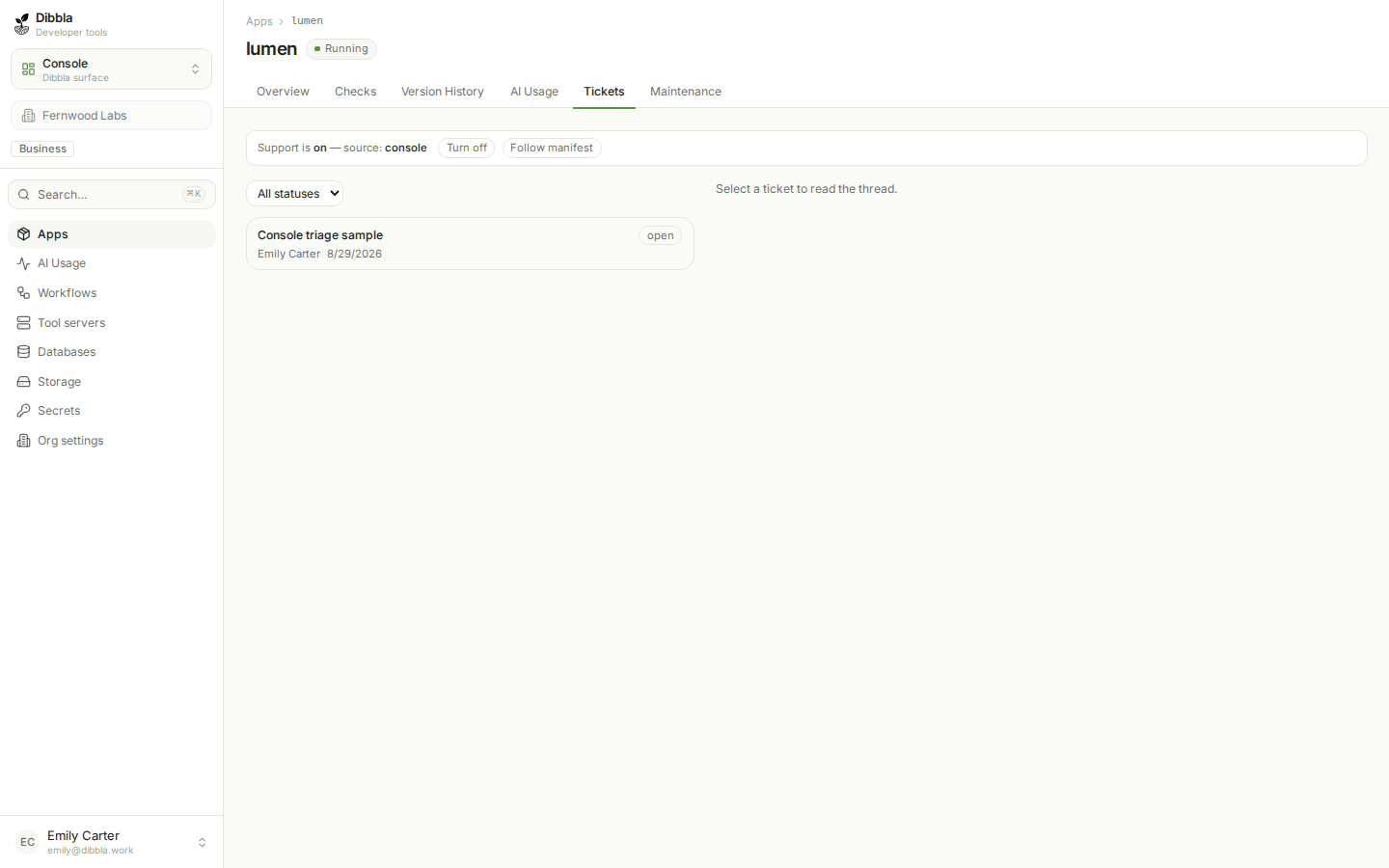
Open a ticket and you get the thread, reply box, and the same controls a support team uses anywhere: status, priority, assignee, and an internal-note toggle for anything not meant for the user who filed it.
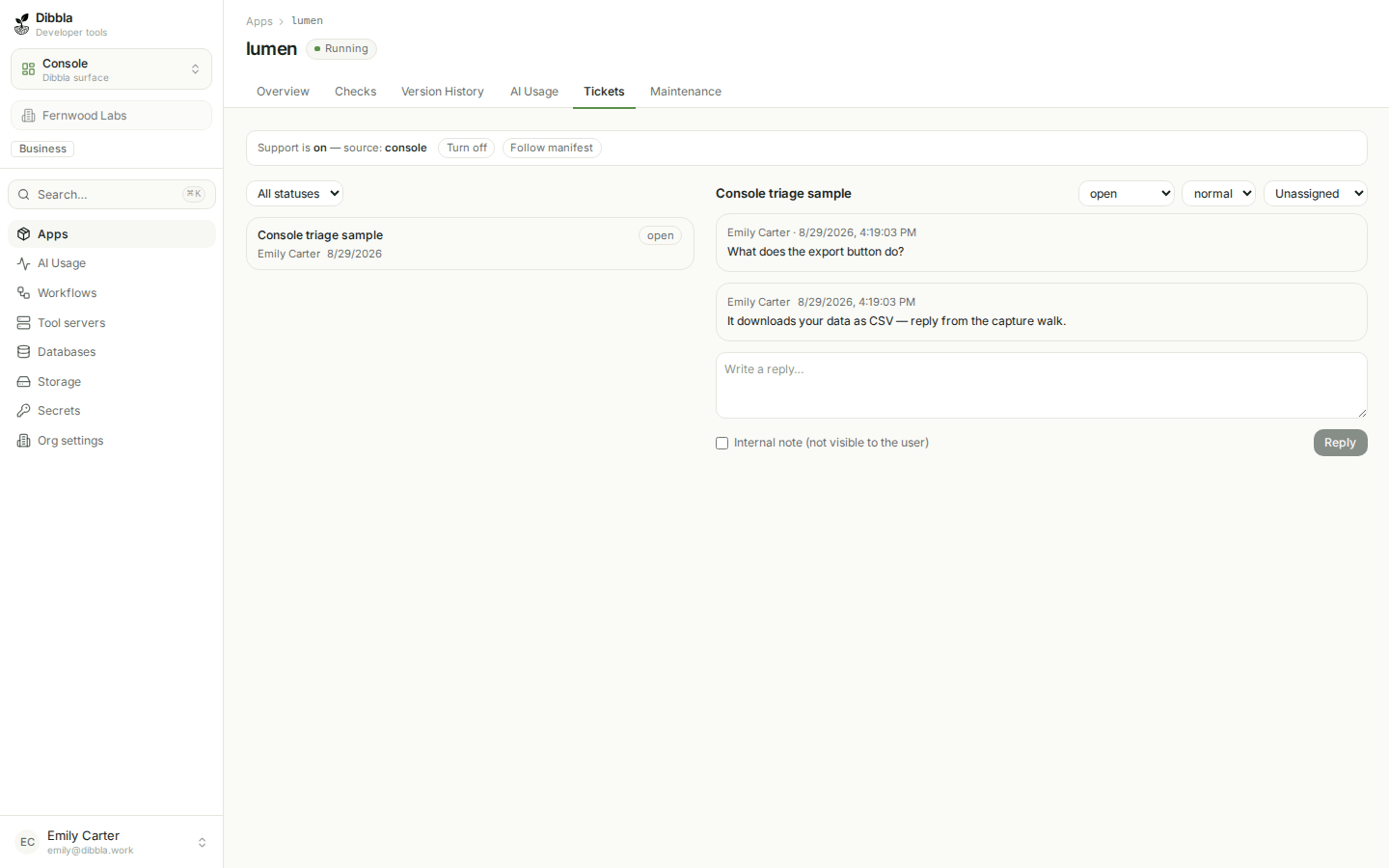
Reply, and the user sees it wherever they’re reading the thread — the app
widget or the portal, it’s the same conversation. guides/support-tickets
covers the rest: who can read what, attachments, retention, and why this
isn’t something you’d build yourself.
What you built
Lumen is live (Stage 1), backed by a managed database it seeds itself (Stage 2), able to summarise an incident through the AI gateway (Stage 3), calling a workflow answered by a tool server you run (Stage 4), rolling its incidents up on a nightly schedule (Stage 5) — and now has a way for someone other than you to reach you when something goes wrong (Stage 6). Every stage left something real running, and you could have stopped after any one.
What the tour still has that this tutorial only touched:
- Beyond apps — Workflows. You built one three-node graph and one custom function. The Workflows guides cover the rest of the engine: the editor in depth, agent tools, revisions, and pipelines.
- Operating what you shipped. The operations guides go deeper on deploys, secrets, databases, and the console than a tutorial can.
See what’s next for your app →
Also at this point
- Notifications — now that Lumen has tickets, “you get told when one arrives” is a concrete sentence instead of an abstraction. Zero setup gets you an email; the guide covers routing to Slack and how unsubscribe works.